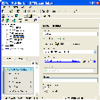
A versatile file management tool offering advanced features for efficient file handling and web browsing
A versatile file management tool offering advanced features for efficient file handling and web browsing
Pros
- Extensive protocol support for remote access (SFTP, FTP, SMB, WebDAV)
- Integrated web browsing and file management
- Highly customizable interface and workflows
- Free and open-source
Cons
- Interface may feel unfamiliar to Windows users
- Less compatible with cutting-edge web standards
- Setup on Windows requires additional KDE components
- Learning curve for new users
Feature-rich KDE file manager and web browser for advanced file handling
Versatile File Management and Web Browser in One
Konqueror is a multifaceted application originally developed for the KDE desktop environment on Linux, but it is also available on Windows. Combining the functions of both a powerful file manager and a standards-compliant web browser, Konqueror offers extensive capabilities for users needing more control and flexibility than traditional Windows Explorer provides.
Advanced File Management Capabilities
Konqueror provides a dual-pane file management layout, allowing for easy side-by-side viewing and rapid file transfers. The interface supports tabbed browsing, customizable toolbars, and an array of context menu actions. A standout feature is its support for network protocols such as SFTP, FTP, SMB, and WebDAV, meaning users can access remote files and directories as though they were local.
File operations such as copy, move, batch rename, link creation, and permission changes are all accessible through an intuitive menu system. A robust search tool is included, making it straightforward to locate files using filters by name, type, size, or content.
Integrated Web Browsing Capabilities
Beyond file management, Konqueror integrates a full web browser based on the KHTML engine, which was the inspiration for WebKit. This allows the application to handle basic web browsing without the need for a dedicated browser window. While not as feature-rich or compatible with modern web standards as mainstream browsers, Konqueror is suitable for browsing intranet sites, documentation, and less complex web pages.
Customization and Extensibility
A significant strength of Konqueror is its modular architecture. The application supports a range of plugins known as "KParts," enabling previews of documents, images, videos, and even applications within the main window. Users can tailor the layout, hotkeys, and displayed information according to their workflow. The split-view feature further aids multitasking and complex file operations.
Platform Considerations
While Konqueror is designed for the KDE desktop, a Windows version is available through KDE’s comprehensive packaging. Users should be prepared for some visual and behavioral differences compared to typical Windows applications, as Konqueror retains its KDE-centric design elements. Installation may require downloading additional KDE dependencies, which increases setup complexity.
Use Cases and Learning Curve
Konqueror appeals to users managing complex folder hierarchies, webmaster tasks, or regular interactions with remote servers. Its advanced features are particularly useful for those who find Windows Explorer limiting. However, newcomers may face an initial learning curve due to the unique KDE interface principles and the vast array of options available. Power users and those familiar with UNIX-like file management should adapt more quickly.
Performance and Stability
Konqueror is generally responsive, though users may experience occasional delays when previewing large directories or using network file systems with variable connection speeds. Regular updates from the KDE community help maintain compatibility and performance, but Windows-specific refinements are less frequent than on Linux.
Pros
- Extensive protocol support for remote access (SFTP, FTP, SMB, WebDAV)
- Integrated web browsing and file management
- Highly customizable interface and workflows
- Free and open-source
Cons
- Interface may feel unfamiliar to Windows users
- Less compatible with cutting-edge web standards
- Setup on Windows requires additional KDE components
- Learning curve for new users